Cold War Roblox Private Server Commands & Gameplay Guide
Master Cold War Roblox with our guide on private server commands, gameplay mechanics, and tips to dominate the battlefield in this popular military shooter.
Published:
Table of Contents
The immersive military shooter Cold War Roblox has taken the platform by storm, offering players a gritty, simcade combat experience that rivals triple-A titles. Whether you are coordinating with your squad to capture objectives or masterfully piloting vehicles across diverse landscapes, understanding the game’s core mechanics—and how to utilize Cold War Roblox private server commands—is essential for any serious player looking to refine their skills.
In this guide, we dive deep into the tactical side of the game. From managing your loadouts to navigating the complex battlefield, we provide the insights you need to climb the ranks. By mastering these elements, you ensure that every session spent in this high-stakes environment contributes to your overall progression and tactical dominance.
Understanding the Combat Environment
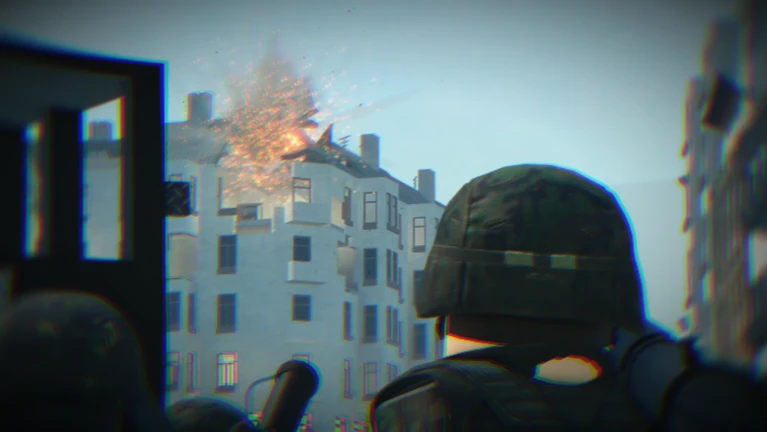
Cold War Roblox distinguishes itself through its realistic weapon handling and destructible environments. Unlike typical arcade shooters, this title emphasizes teamwork and strategic positioning. Players often find themselves caught in intense firefights where every decision counts. According to community reports, the current meta heavily favors players who can effectively communicate and adapt to the evolving battlefield conditions.
To succeed, you must understand the two primary factions: NATO and PACT. Each offers unique equipment and tactical advantages. Whether you are playing as a grenadier or a specialized scout, your contribution to the team's ticket count is vital.
Tactical Comparison: NATO vs. PACT
Feature
NATO Strategy
PACT Strategy
Weaponry
High precision, modular
High durability, high fire rate
Primary Goal
Defensive line holding
Aggressive objective pushing
Best Role
Long-range support
Close-quarters combat
Navigating Cold War Roblox Private Server Commands
Private servers are a gateway to controlled practice, allowing players to refine their aim or experiment with new loadouts without the chaos of a public match. While the availability of Cold War Roblox private server commands has shifted with game updates, the primary utility of these servers remains the ability to orchestrate training scenarios or community events.
If you are looking to host a match for your group, ensure you have the necessary gamepasses or permissions configured through the official Roblox game page. Setting up a private server allows you to:
Test vehicle handling with APCs and other heavy units.
Practice map navigation for specific game modes like "Advance and Secure."
Conduct internal team drills to improve communication.
[!TIP]
Optimizing Your Server
To get the most out of your private server, coordinate with your squad members via the official Discord server to ensure everyone is on the same page regarding rules and custom game modes.
Mastering Game Modes and Objectives
The game frequently introduces new modes to keep the experience fresh. Recent updates have expanded the tactical depth with modes that require more than just raw firepower. "Advance and Secure," for instance, demands constant movement and map control, mirroring the intensity of a true military operation.
Popular Game Mode Breakdown
Game Mode
Core Objective
Recommended Strategy
Conquest
Capture and hold A, B, C
Split your squad to cover multiple points
Advance and Secure
Sequential objective control
Focus on heavy armor support
Frontlines
Front-to-front engagement
Maintain a solid defensive line
King of the Hill
Hold a single central point
Utilize airstrikes and grenadiers
Tips for Better Performance
Regardless of your skill level, consistent performance in Cold War Roblox comes down to situational awareness. Many players ignore the importance of the radio man or the role of engineers in maintaining vehicles. When you are in a vehicle, always keep an eye out for anti-tank infantry, as they are the primary threat to your armor.
Essential Gameplay Checklist
Communication: Always join the communications server to stay updated on the latest meta changes.
Resource Management: Save your Robux for essential gamepasses that offer tangible gameplay advantages, such as specialized kits.
Map Awareness: Learn the spawn points and typical "choke points" on every map to avoid being flanked.
Vehicle Synergy: Never operate an APC alone; always have an infantry escort to protect you from flanking maneuvers.
Economic Strategy: Gamepasses and Pricing
A common question among players involves the pricing of gamepasses. You may notice that prices seem to fluctuate; this is often due to Roblox’s dynamic pricing system, which adjusts costs based on your region to ensure fair accessibility. If you are considering an investment to boost your gameplay, prioritize kits that complement your preferred playstyle.
Common Gamepass Utility
Gamepass
Primary Benefit
Best For
Specialized Kits
Unique weapon loadouts
Experienced players
Private Server Access
Custom match control
Clans and groups
Cosmetics
Visual distinction
Veteran status display
Frequently Asked Questions (FAQ)
Q: Are there permanent Cold War Roblox private server commands for spawning weapons?
A: Most command-based spawning is restricted to maintain game balance. Any available commands are usually limited to administrative functions or specific private server settings managed by the developers.
Q: How do I improve my aim in Cold War Roblox?
A: Focus on "simcade" mechanics. Unlike fast-paced shooters, this game requires you to account for bullet drop and recoil. Practice in a private server with a friend to get a feel for the specific weapon ballistics.
Q: Where can I find the latest updates for the game?
A: The best place to track updates, including information on new APCs and game modes, is the official Discord server linked on the Cold War game page.
Q: Why is my gamepass price different from my friend's?
A: This is due to dynamic pricing. Roblox automatically adjusts the price of gamepasses based on your country's currency and purchasing power to provide a more consistent experience for all players globally.